
For iPhone and Apple Watch
Know what you burn. Log what you lift.
EnergyBalance is two tools for people who train and track: an energy model that reads the data you already log, and a lift tracker for every set. Use one, or both together.
Coming soon to the App Store
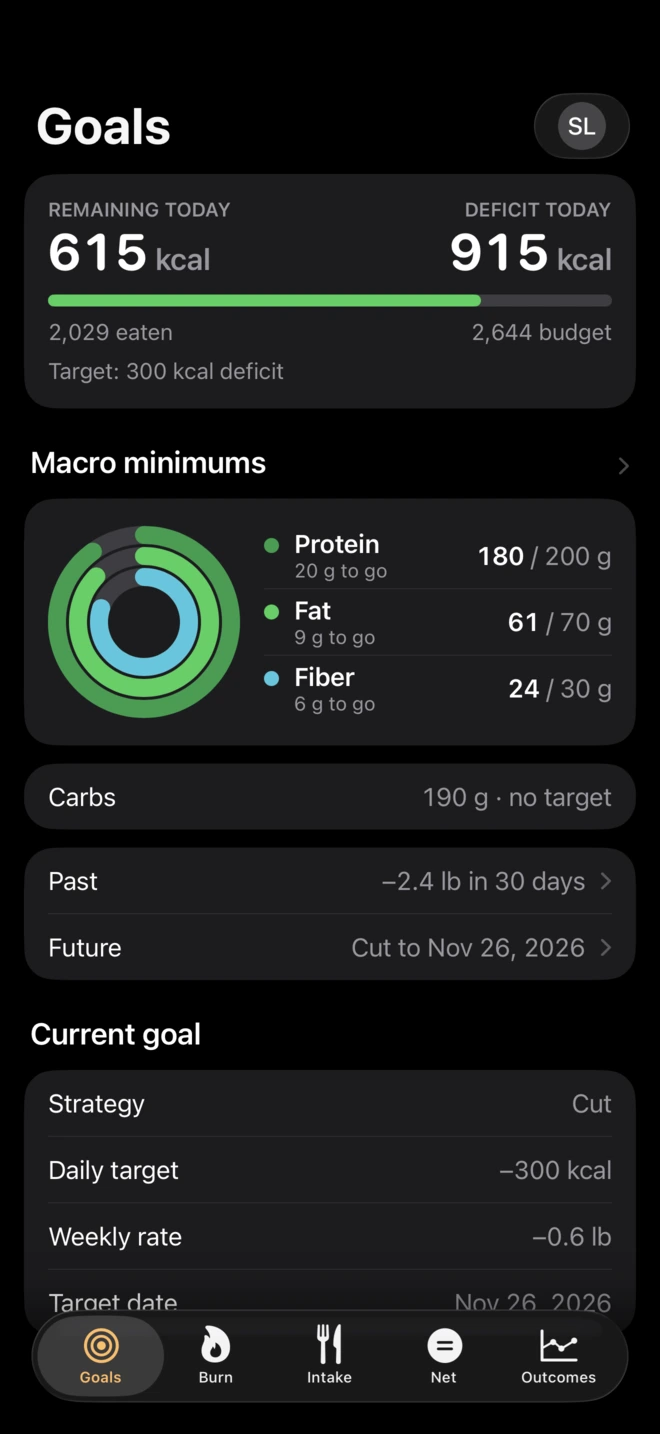
Energy
The numbers behind your tracking
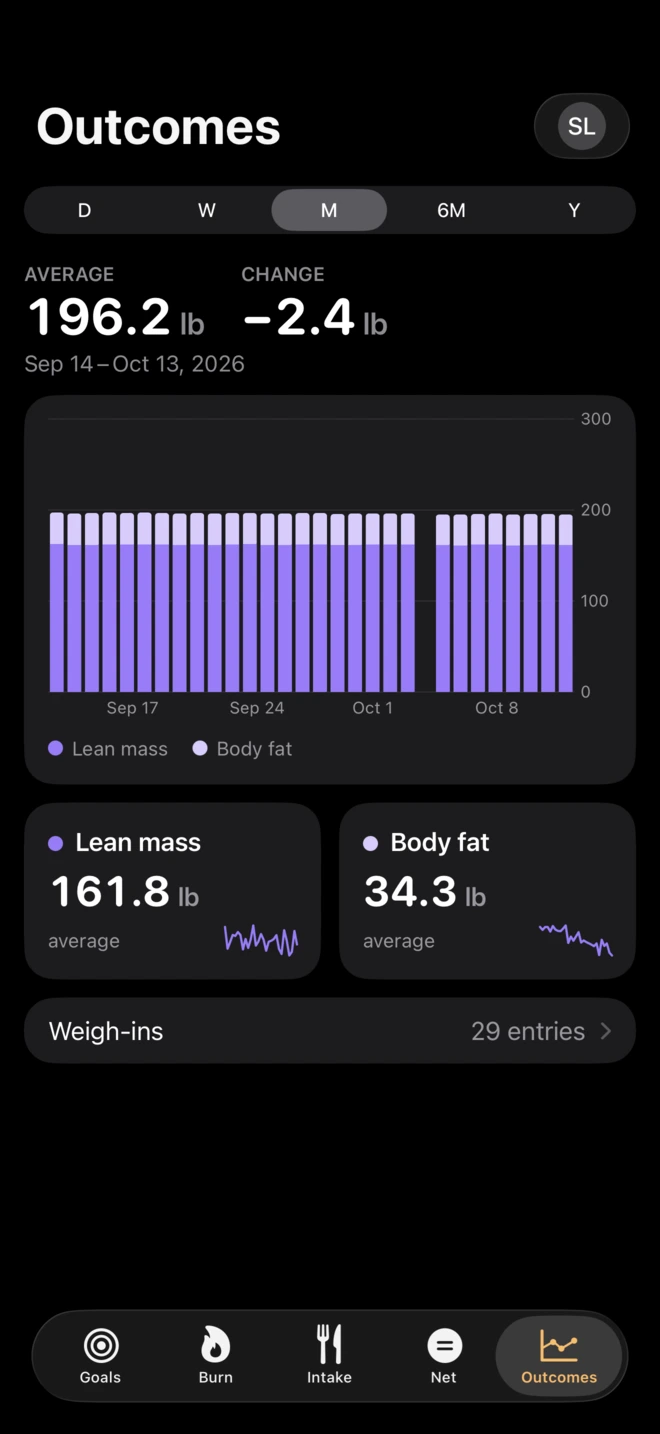
You already log food, weigh in and wear a Watch. Energy shows what it all adds up to: what you burn, where that leaves you, and what you can eat to reach your goal.
It reads your tracking. It doesn't replace it.
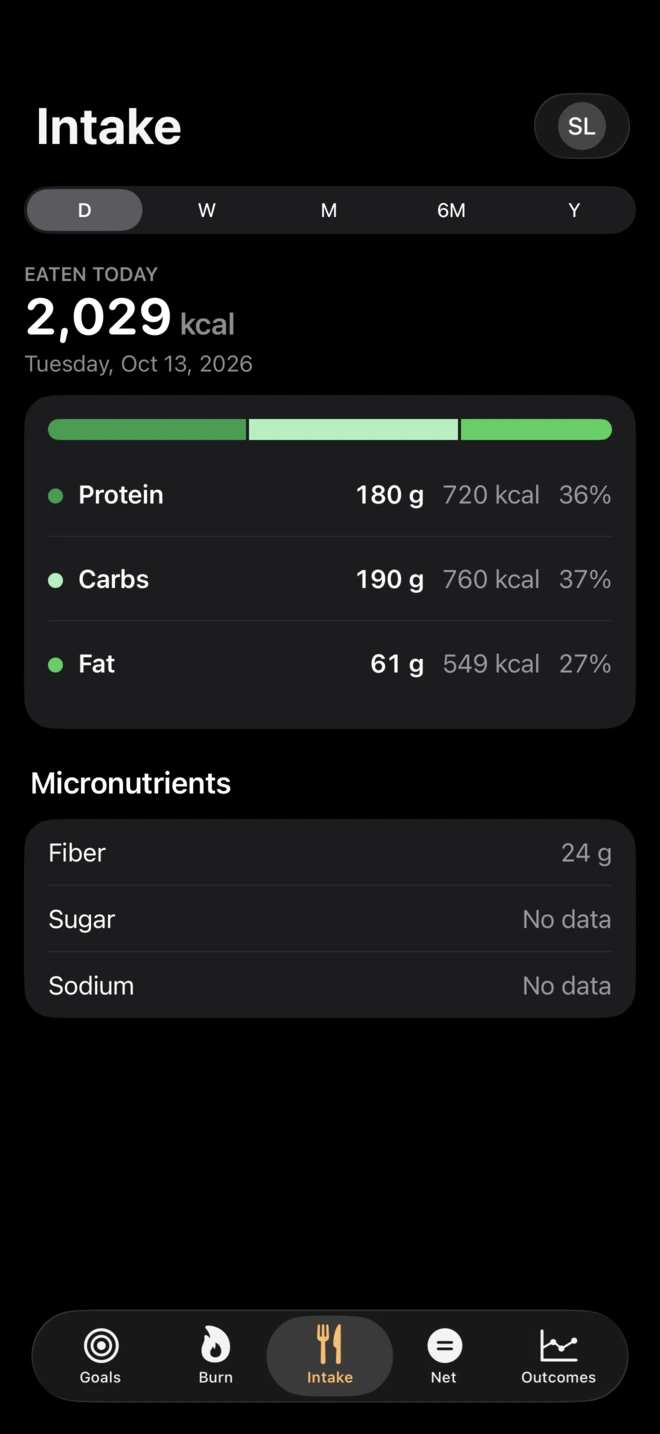
Keep logging in the food app you use now. EnergyBalance reads your food, weight and activity from Apple Health. It is not a food logger, a step counter or a diet plan.
Food app
Scale · WatchApple
HealthEnergy
Balance
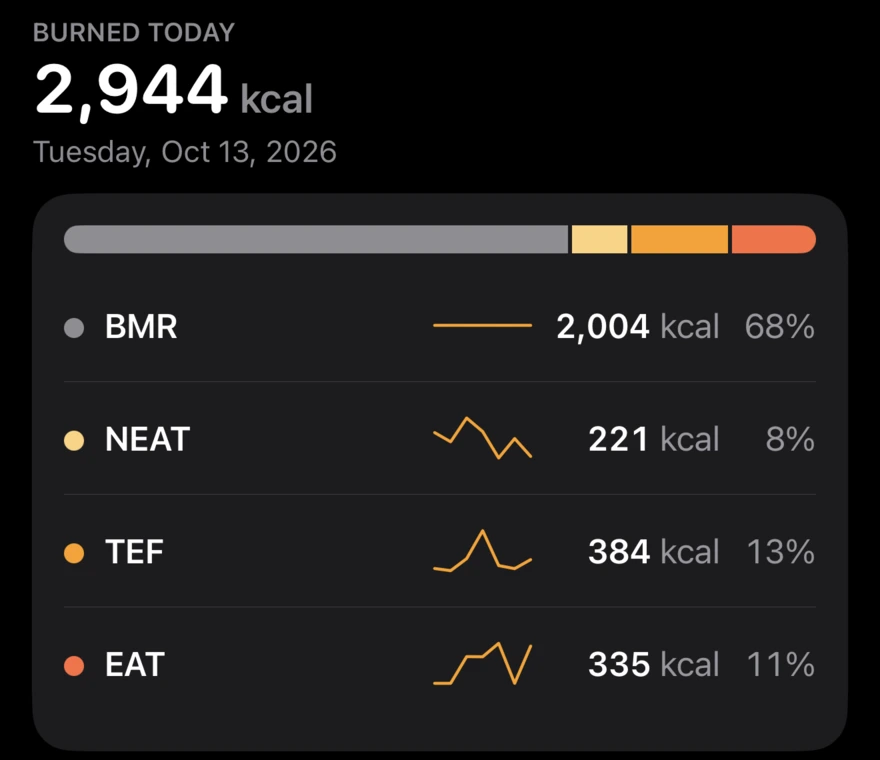
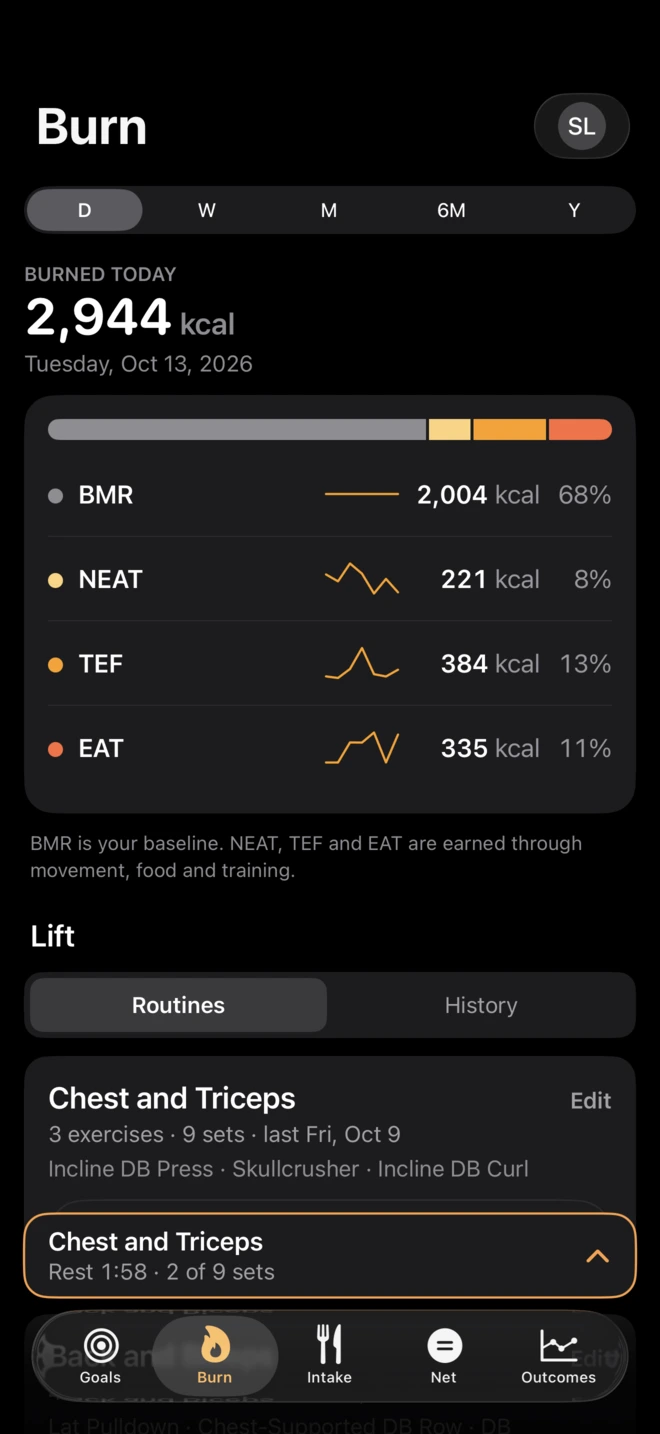
Your burn, built from four parts
No mystery number. Each part comes from your own data, and you can see every one. It moves through the day: walk more or train, and what you can eat goes up.
- BMR
- At rest. From your weight, height, age and sex.
- NEAT
- Daily movement. From your steps outside workouts.
- TEF
- Digestion. From the protein, carbs and fat you log.
- EAT
- Workouts. From what your Watch records.
It checks itself against your scale
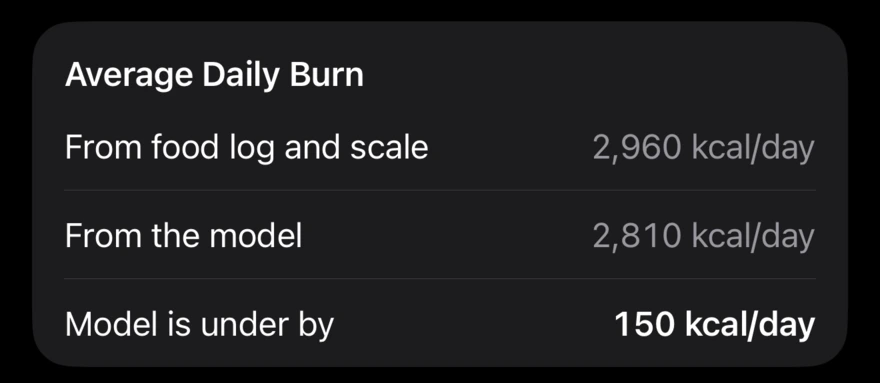
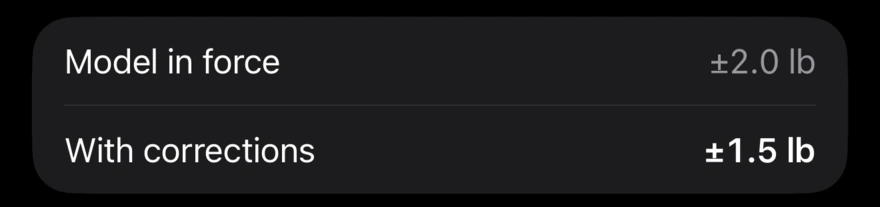
A model is only worth planning with if it predicts what happens. Over weeks, EnergyBalance compares the weight change its numbers predict with what your scale shows.
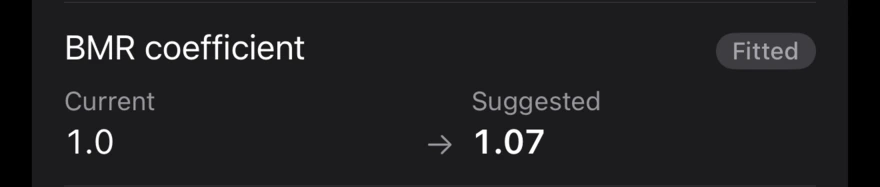
When they drift apart it names a correction, one cause at a time, and you decide whether to apply it. Nothing is adjusted behind your back.
Calibration needs about 12 weeks of food and weight history.
- 1It measures the gap
- 2It names a correction
- 3It shows whether that predicts better
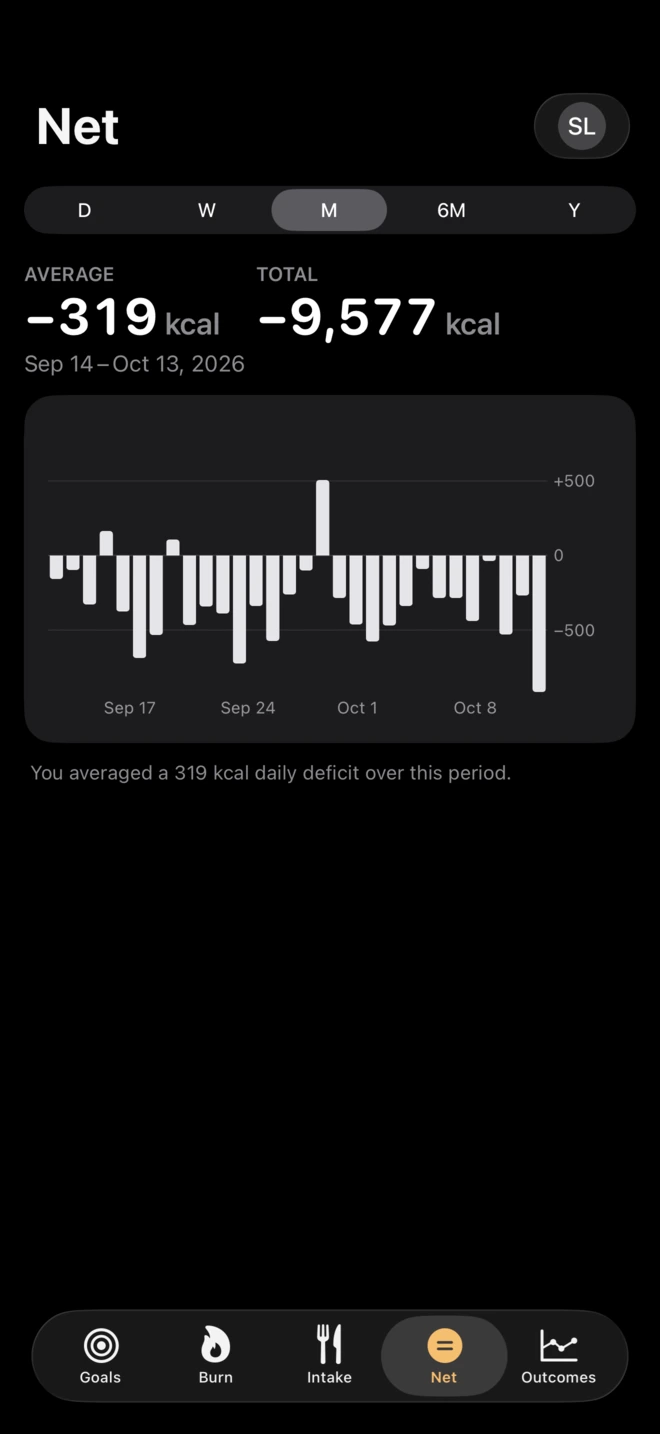
What you see every day
Made for people who already track
If you don't log food, Energy has little to work with.
- A food app that writes to Apple Health
- Regular weigh-ins, from a smart scale or typed in
- An Apple Watch helps, for workouts
Lift
Log every set
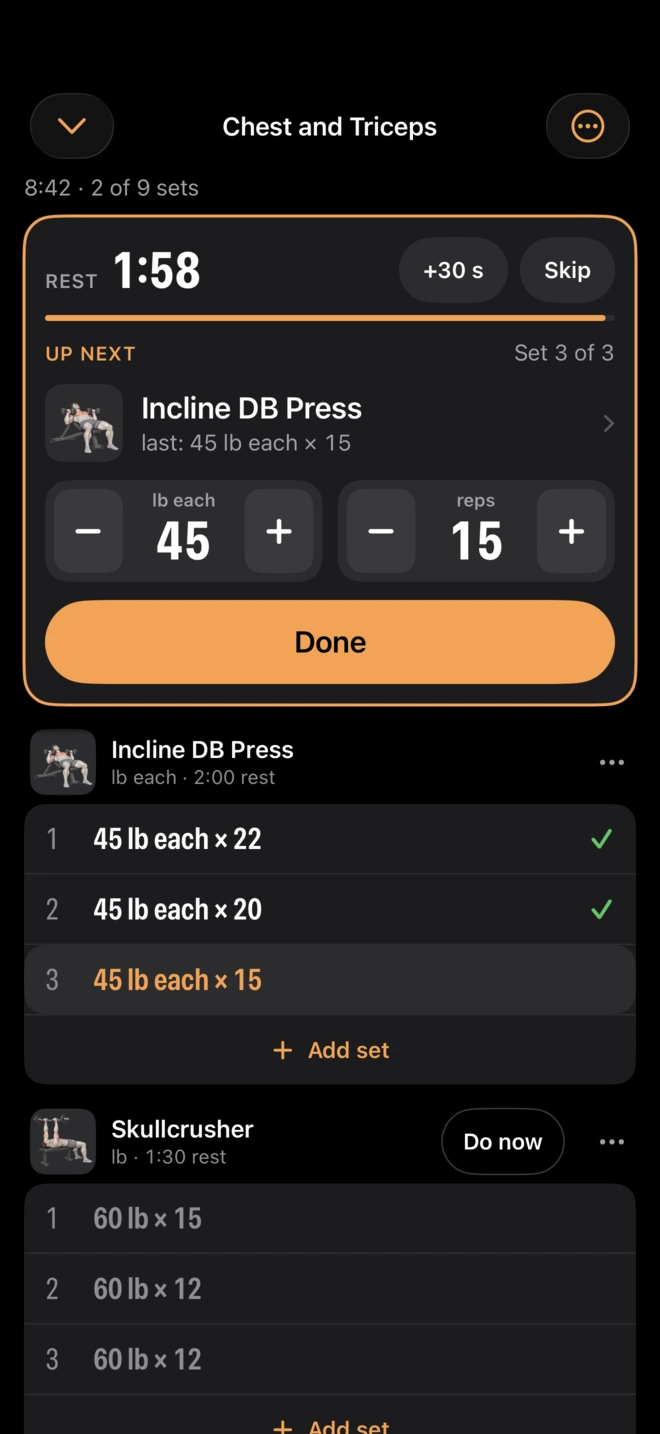
A lift tracker with nothing else to set up. Build routines, log on your phone or your Apple Watch, and see where the work went.
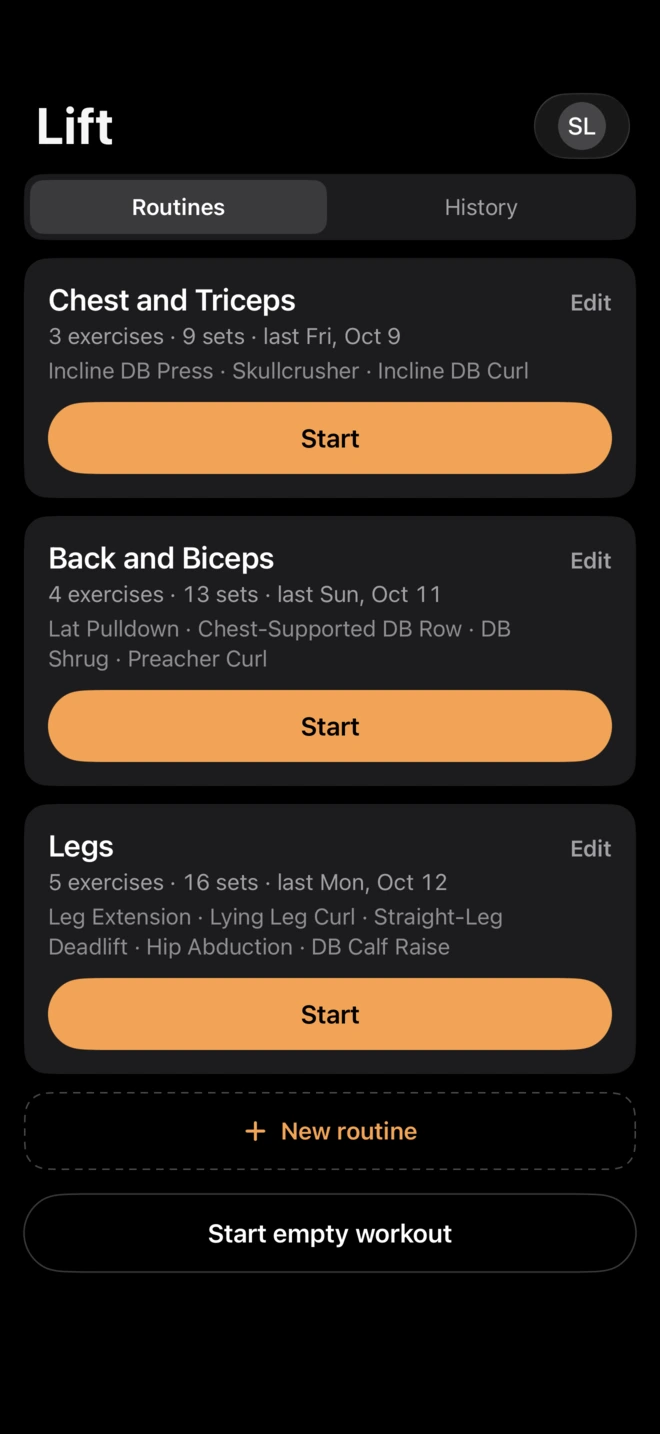
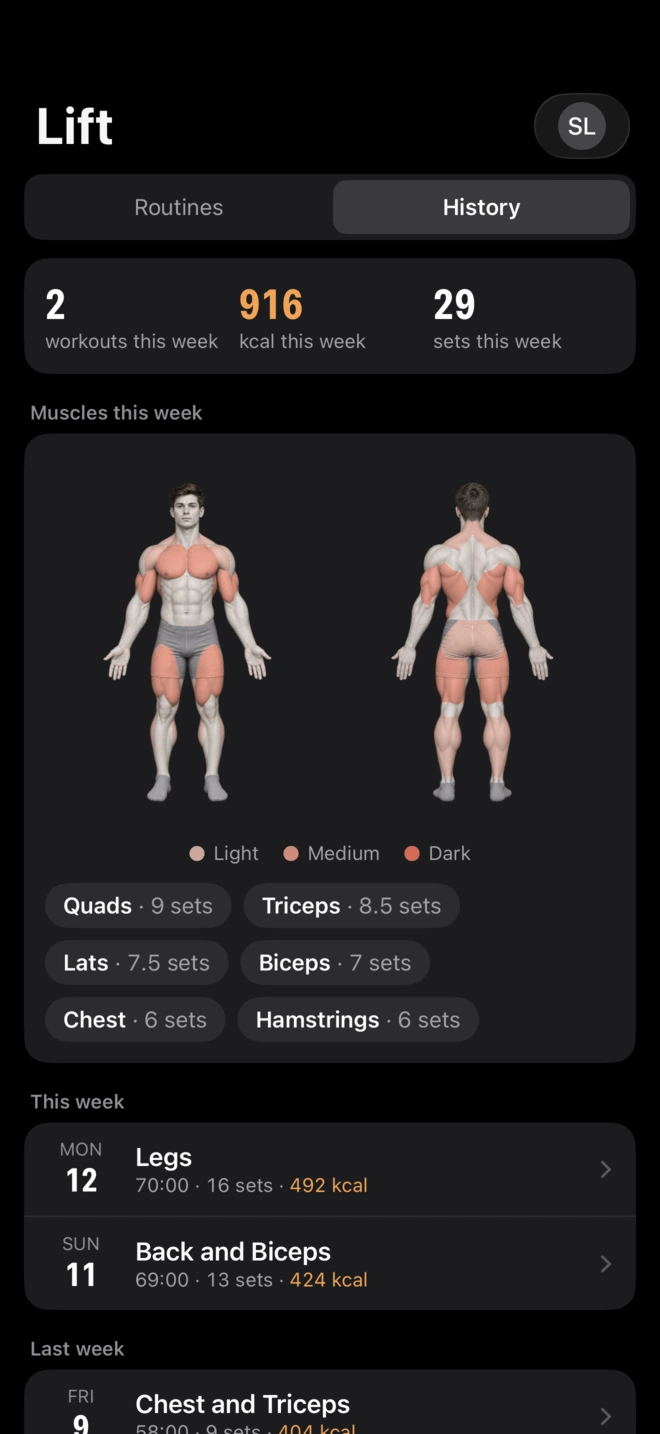
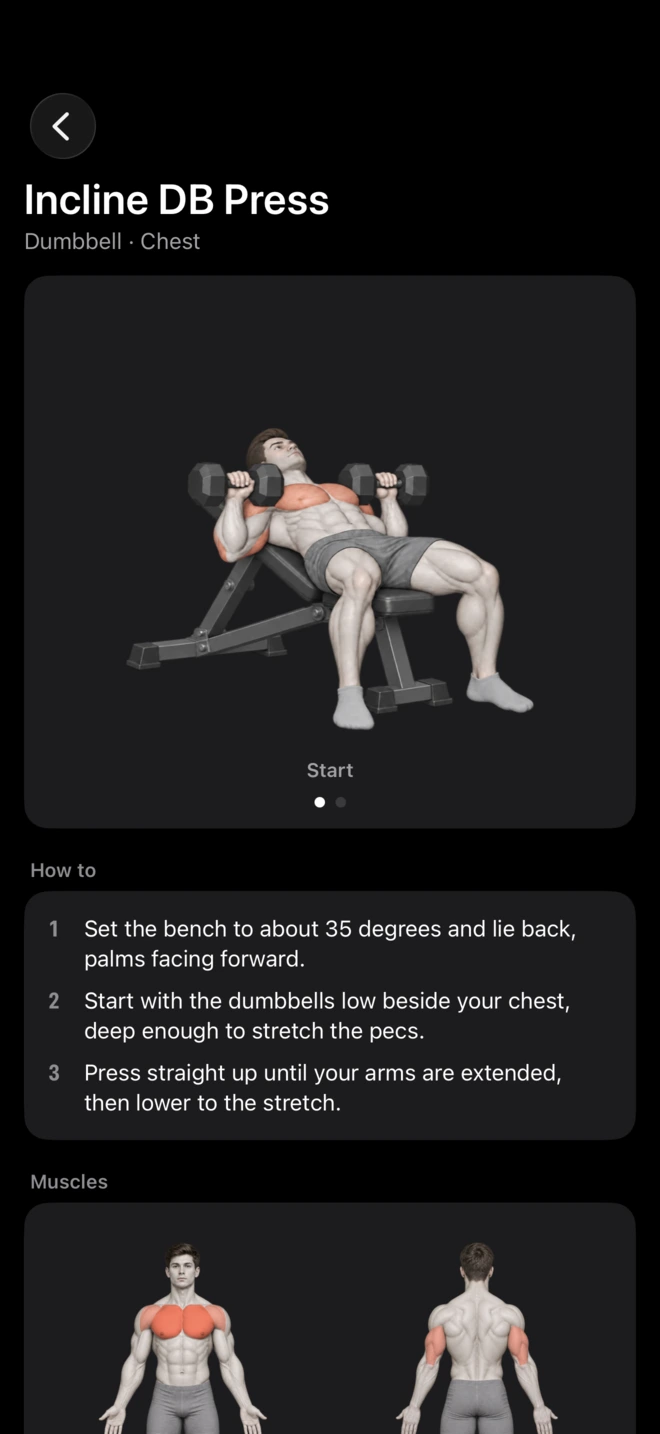
Your phone and Apple Watch stay in step during a workout. You can bring your history over from Hevy.
Energy + Lift
Together, they are one app
Lifting lives inside the Burn tab. A workout you log is saved to Apple Health and counts toward the day's burn, so you can see how much more you can eat on a training day.
Use one, or both
Each one is a whole app. Subscribe to what you'll use, and switch later if that changes.
Energy
Burn, balance, goals and calibration, from your Apple Health data.
Needs a food app and weigh-ins in Apple Health.
Lift
The lift tracker, on iPhone and Apple Watch.
Needs nothing else.
Energy + Lift
Everything in both. Your lifting counts toward what you can eat that day.
Needs what Energy needs.
Subscriptions are through the App Store. Prices will be here at launch.
Questions
Do I need an Apple Watch?
No. Lift works on an iPhone alone. For Energy, a Watch makes the workout part of your burn much better, but food, weight and steps are enough to start.
Which food apps work?
Any app that writes calories and macros to Apple Health. Check that sharing with Apple Health is turned on in the app you use.
Where does my data go?
The Health data you allow is synced to your EnergyBalance account, so the model can run and your history follows you to a new phone. It is never sold and never used for advertising. Privacy policy.
Is there an Android version?
No. EnergyBalance is built on Apple Health.